Ask CNC Passport was not built as another general chat that confidently answers every technical question. The first working area is deliberately narrower: G/M-code questions. That may sound modest, but it is exactly what makes the tool more useful for real CNC work.
In production, a wrong explanation of one command is not just a weak answer. It can cost setup time, a scrapped part, or a wrong assumption about how a control behaves. For Ask CNC Passport, the important part is not polished AI wording. The important part is the chain: question, source, answer, and a way to check where the answer came from.
Why G/M codes are the first mode
G-codes and M-codes are a good first industrial mode for an AI service because they give the system a concrete search target: G01, G41, G71, M98, M99, G20/G21 and many other commands. A user often arrives with a practical question, not a broad theory request: modal behavior, command format, controller-specific differences, or a safe example.
A generic AI chat can answer quickly, but it may blend knowledge from different controls. For a casual explanation, that may pass. On a CNC machine, that mix is risky. Code behavior depends on the controller, series, options, machine builder implementation and program context.
That is why Ask CNC Passport first works with post-processed CNC Passport references, not the full mass of unprepared data at once. It searches structured records where codes, titles, pages, documents and related fragments have already been prepared.
The answer should show the source
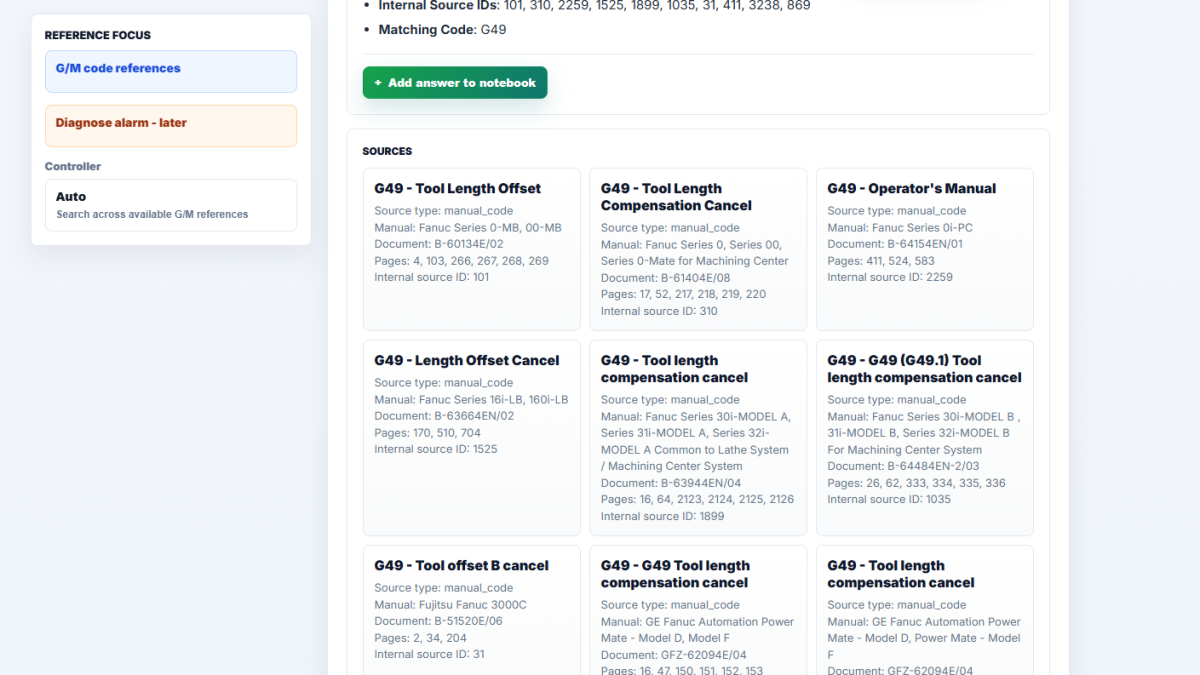
The core idea is simple: if an answer is based on a source, the user should see it. The source block shows the source type, manual title, controller, document number, pages, internal source ID and matching code.
This changes how the user reads the answer. The result is not only an explanation; it is also a path for verification. If the answer is based on Fanuc Series 0-MB or Fanuc Series 0i material, that should be visible. If no confirmed source is found, the service should not pretend that the answer is grounded.
This matters especially for commands that look familiar across systems but are not always used in the same way. The same code may belong to a turning cycle, a milling mode, a macro call, compensation, or coordinate setting. Without a source, the answer becomes too confident too quickly.
What a practical query looks like
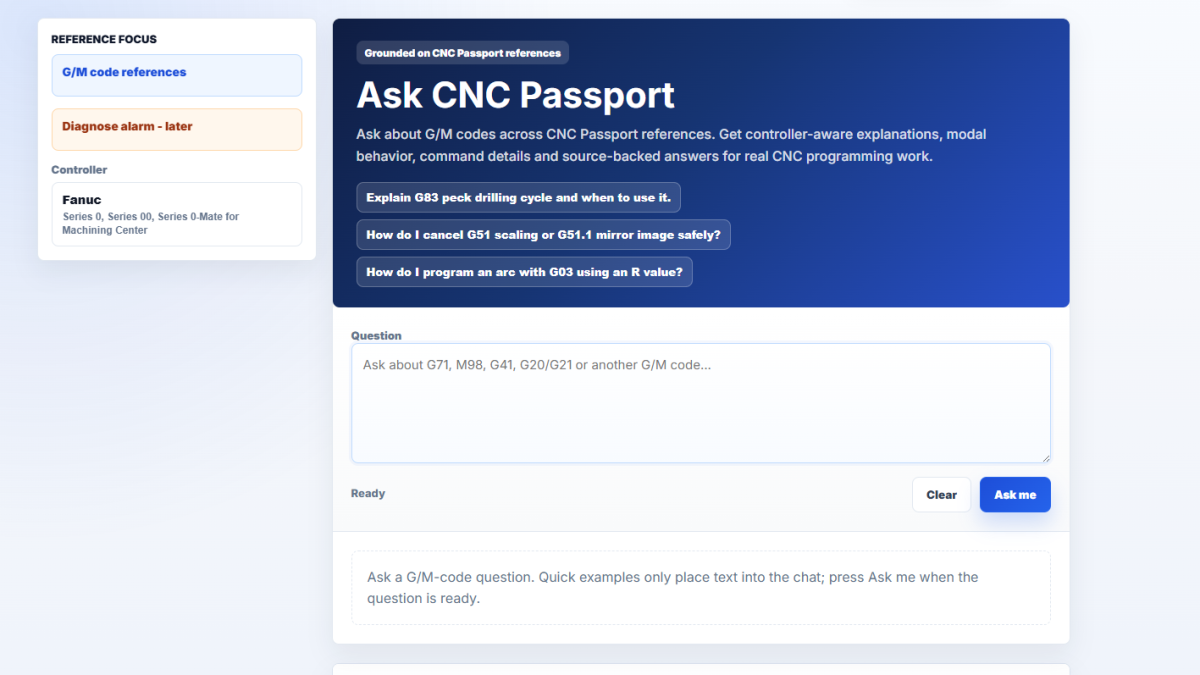
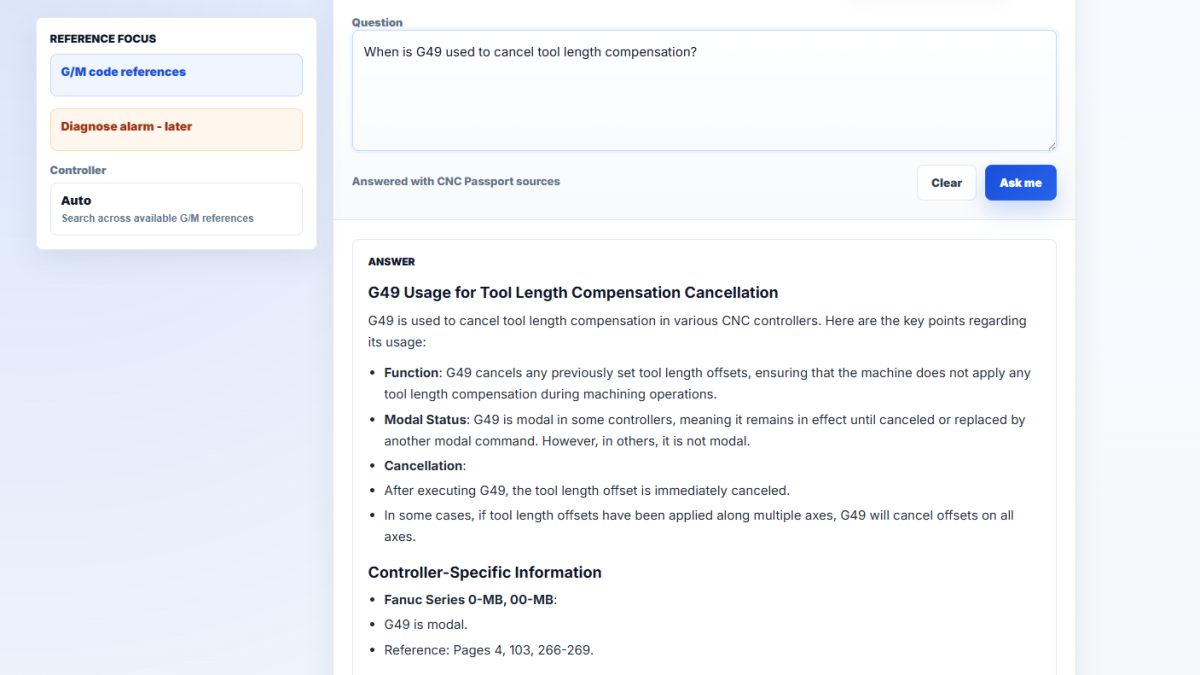
A user might ask whether G41 is modal, how G20/G21 is cancelled, how M98 differs from M99, or how to understand G71 on a Fanuc lathe control. Clicking a quick example does not immediately start the search; it only places text into the question field. That small interface choice matters because the user keeps control over the final wording.
After the question is submitted, Ask CNC Passport searches the G/M-code reference and sends only relevant fragments to AI. In the normal case, the answer stays compact but grounded: explanation, important conditions, controller-specific notes and the source block.
If no confirmed source is found, the button for saving the answer to the notebook is not shown. That is intentional. The notebook should store useful question-and-answer pairs, not empty messages saying that no source was found.
Why the notebook matters
G/M-code questions repeat. An operator or programmer may check G94/G95 today, return to G41/G42 tomorrow, and revisit G71 a week later. Copying these answers into a separate file is clumsy, especially when the answer was produced in the right language and with the right source.
Ask CNC Passport therefore includes a button to add a grounded answer to the notebook. A logged-in user can save the question, answer, language and sources, then open it later in the CNC Passport profile. The note can be pinned, edited, expanded with personal comments, or deleted.
This does not replace the official manual, and it does not turn an AI answer into a final machine instruction. But for learning, review and preparation around CNC codes, it is more useful than a normal chat history.
Why this is not just ChatGPT with a CNC topic
The difference is not that AI can explain G-code nicely. The difference is the route the answer takes. First the system considers language, mode and controller context. Then it searches the internal reference. Only after that does it form an answer with sources.
That order disciplines the service. It should not answer alarm-code questions through the G/M-code mode. It should not pull information from unprepared database sections. It should not label unsupported reasoning as a confirmed CNC Passport source. Later modes can be added, but each mode needs its own data path: alarm tables for alarms, manual search for documentation, program analysis for G-code.
The first G/M-code mode is the foundation. If the service can honestly show sources, handle controller context and avoid saving unsupported answers as study material, Ask CNC Passport can expand without becoming a generic chat.
The practical value is calm verification. The user asks a question, receives an answer, sees the source and can save the material when it is useful. For CNC topics, that is more important than a long universal answer with no documentation behind it.