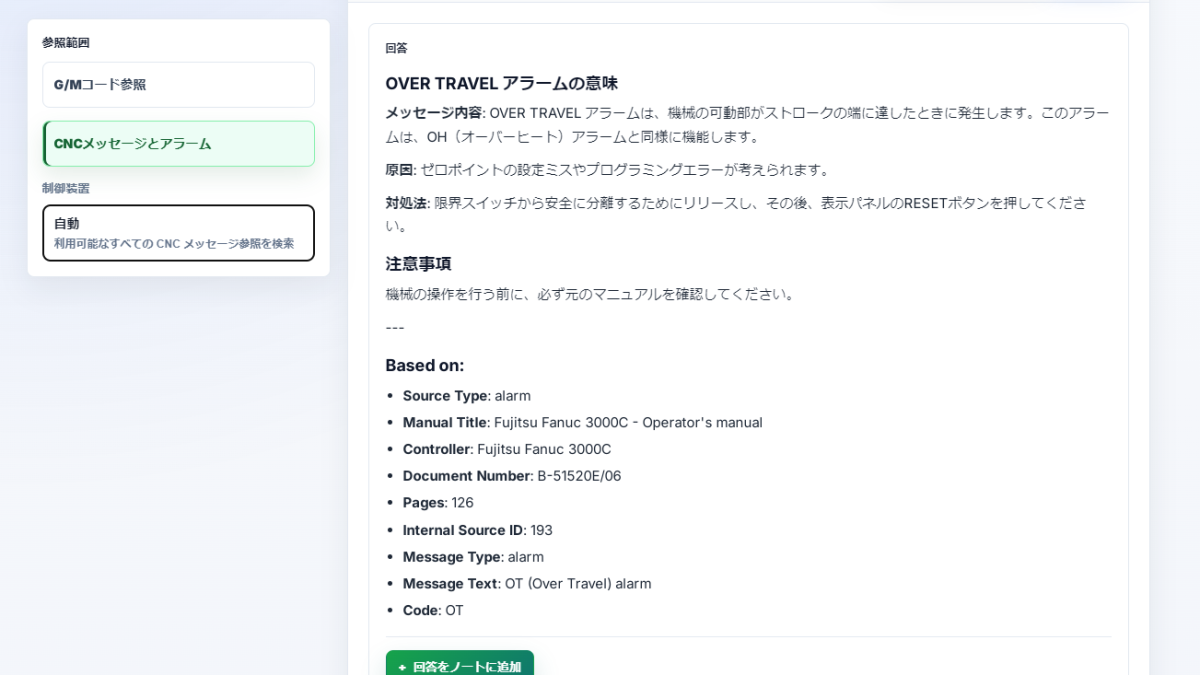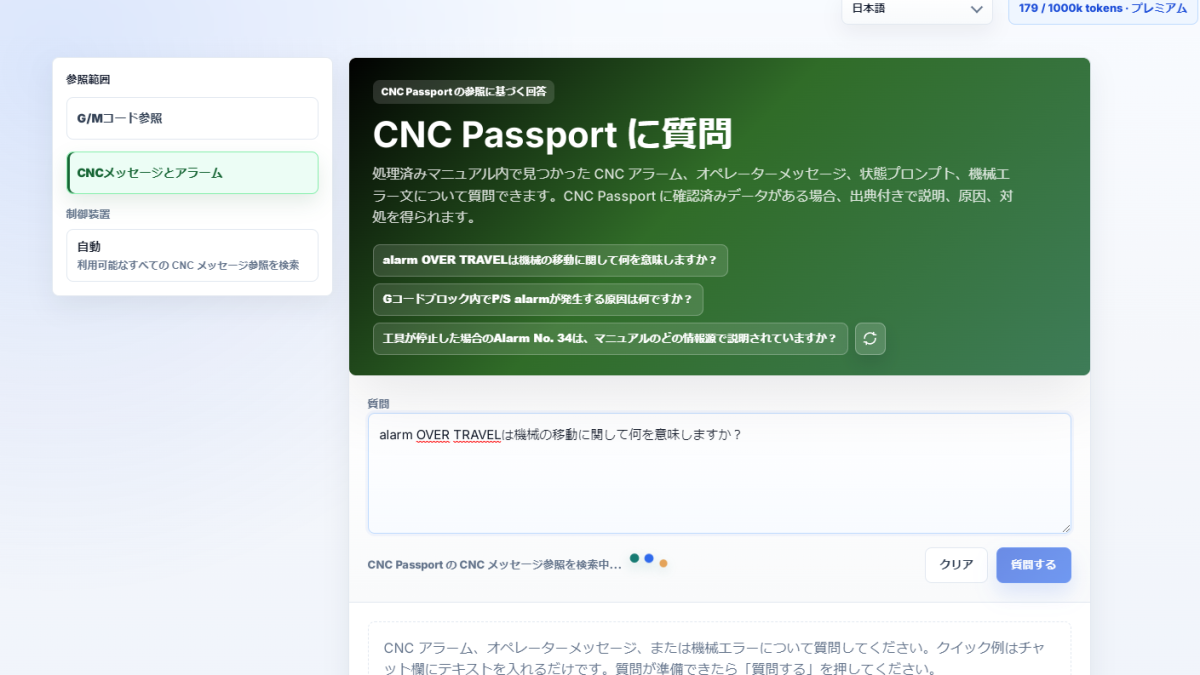
A machine does not always show a neat “error code” that is easy to type into search. Sometimes the screen shows a short warning, a status line, an alarm number, a memory-card message, an operation lockout, a request to press RESET, or an instruction related to emergency stop. For the operator, the situation is simple: the control displays something, production has stopped or become unsafe, and the next step must be clear.
The new ASK mode in CNC Passport is built for exactly these cases. It searches not only G-codes and M-codes, but also machine messages, alarms, warnings, statuses, and CNC error descriptions. This needs a separate chat mode because the question is usually different: the user is not asking “what does this code command do,” but “why does the machine show this,” “is this dangerous or informational,” “what should be checked before reset,” or “what action does this message require.”
Why CNC messages should be searched separately from G- and M-codes
G-code and M-code usually describe a command in the program. Machine messages describe the control state, input error, motion limit, memory condition, interface issue, operating mode, ready signal, emergency stop, or a condition in which an operation is not allowed. These are different kinds of questions.
If they are mixed into one search, the answer can become too general. A question about P/S alarm No. 95 should not be handled the same way as a question about programmed motion. A message such as PART COUNT is not an error at all: it is more likely to report the current counter status. In this case the important point is not only to find a match, but to understand the message type and whether action is required.
What kinds of messages the new mode helps interpret
The mode is designed for practical situations that an operator, setup specialist, or engineer meets at the CNC panel. These may include alarms, P/S alarms, warnings, informational statuses, system messages, confirmation requests, and action prompts.
Some messages look like errors but are not errors by meaning. The machine may report that saving, loading, or formatting is in progress. In another case it may ask the user to confirm file deletion. In a third case it may say that an operation is available only in a specific machine state. The difference matters: sometimes the right action is to wait, sometimes to change the mode, sometimes to check the program, and sometimes to stop and diagnose before continuing.
How ASK answers these questions
The user can ask in normal language: what the message means, what to check first, whether it is safe to continue, whether reset is required, or whether the issue is related to the program, memory, data input, servo system, or control mode. ASK detects that the question belongs to CNC messages and alarms and uses a separate answer logic for this mode.
A useful answer here must be practical. It should separate the message text from the cause, the cause from the operator action, and the action from simple status information. If there is no exact confirmation for a message, ASK should not present a guess as a confident answer. For CNC errors, that caution matters more than a polished phrase.
Why it helps during a shift
In real work, a problem often starts not with a major failure, but with one short line on the screen. The operator may see OVER TRAVEL, EMERGENCY STOP, Press RESET key, OUTPUT, NOT READY, or a numbered P/S alarm. At that moment the first task is to understand what is in front of them: an informational status, an operation lockout, an input error, a motion limit, or a state that requires stopping.
The new ASK mode shortens the path from an unclear screen message to normal diagnosis. It does not replace the specialist at the machine and it does not override safety rules, but it helps ask the right next question faster: check the program, machine mode, memory, ready signal, servo condition, data input, or reset procedure.
Why this is more than an alarm list
A normal alarm list is useful when the exact number is known. In practice, the user often remembers a fragment of the text rather than the number. Sometimes the question has a typo, mixes an English screen message with another language, or asks whether a status requires action. That is why the mode has to work like a search assistant, not like a static table.
This is the point of the new ASK area: connect the screen text, code, message type, description, and possible action. G- and M-codes keep their own mode. Messages, warnings, and alarms now have separate logic, closer to how a person actually meets the problem at the machine.
What will improve next
The most important direction is answer quality. The user needs to see what is the cause, what is the operator action, and where the text is only a status. For different messages this distinction is critical: PART COUNT should not sound like an emergency, and OVER TRAVEL should not look like an ordinary notification.
When an alarm appears on the machine screen, the operator does not need a long essay. They need a clear understanding: what it is, how serious it is, what to check first, and where the confirmed answer ends. The new ASK mode is moving in exactly that direction.